
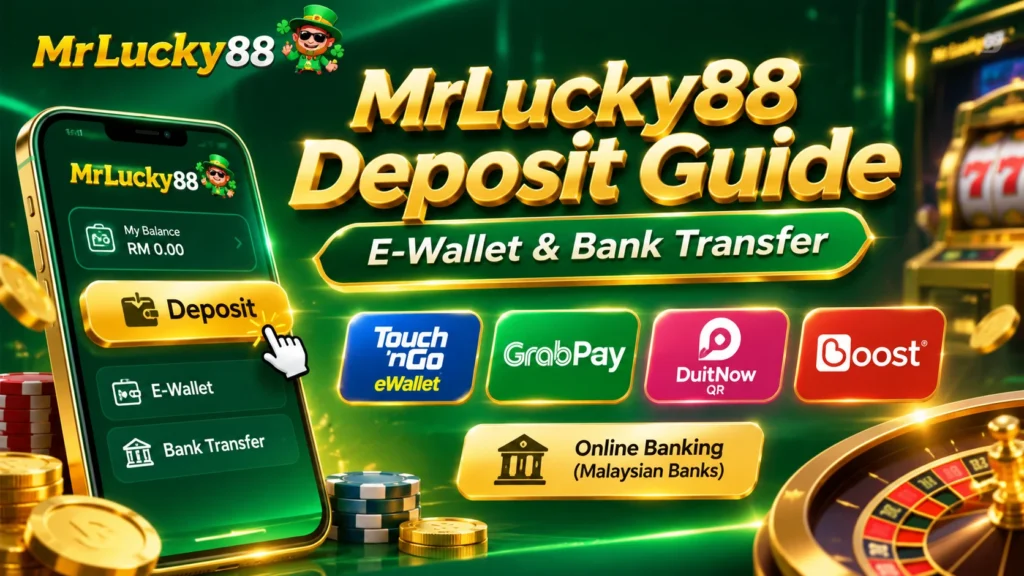
Making your first deposit should be straightforward, whether you prefer using a Malaysian e-wallet or transferring money through your bank.
At MrLucky88, members can access several local payment methods, including Touch ‘n Go eWallet, GrabPay, DuitNow QR and online banking. Each option has its own payment process, transaction limits and confirmation requirements.
This MrLucky88 deposit guide explains how to add funds, what to check before confirming a payment and how to handle common transaction problems.
Quick Answer: To deposit on MrLucky88, access your account, open the Deposit section, select an available payment method, enter your amount and follow the payment instructions. Once the transaction is confirmed and processed, check your account balance before making another payment.
How to Deposit Money on MrLucky88: Step-by-Step
The MrLucky88 deposit process generally follows the same steps whether you’re using a smartphone or desktop.
Step 1: Access Your MrLucky88 Account
Visit the official MrLucky88 website and sign in with your account details.
Once you’re inside, locate the Deposit or Wallet section on the dashboard.
Make sure you’re accessing the correct website before entering any payment information.
Step 2: Choose Your Deposit Method
MrLucky88 supports a selection of Malaysian payment methods.
Depending on the options currently displayed, you may find e-wallet payments, DuitNow QR and local online banking.
Choose the method that works with your bank or payment app.
Step 3: Enter Your Deposit Amount
Type the amount you want to transfer.
Check the minimum and maximum deposit limits displayed for your selected method.
For example, if you plan to deposit RM50, confirm that RM50 falls within the permitted transaction range.
Step 4: Confirm the Payment
Follow the payment instructions shown on screen.
For an e-wallet or QR payment, you may need to authorise the transaction through your mobile payment app.
For online banking, the process may require approval through your bank’s secure verification system.
Always check the recipient information and amount before authorising a payment.
Step 5: Check Your Account Balance
After confirming the transaction, return to MrLucky88 and check whether your balance has updated.
Processing times may differ depending on the bank, payment provider and transaction status.
If your payment has been deducted but the balance has not changed, avoid immediately repeating the transaction.
Instead, check the payment confirmation and keep the transaction reference for follow-up.
MrLucky88 E-Wallet Deposit Methods in Malaysia
E-wallets are widely used in Malaysia for digital payments, making them a familiar option for members who prefer paying through their smartphones.
MrLucky88 lists several local e-wallet and QR payment options. Availability may depend on the active payment channel.
Touch ‘n Go eWallet
Touch ‘n Go eWallet is a familiar Malaysian digital wallet used for everyday payments.
When Touch ‘n Go is available through the MrLucky88 deposit interface, follow the displayed payment instructions and confirm the transaction within your e-wallet app.
Before paying, check the amount and recipient details.
GrabPay
GrabPay provides another mobile payment option for users with an eligible GrabPay wallet.
If GrabPay appears in the MrLucky88 payment selection, review the available limits before proceeding.
Make sure your wallet has sufficient funds and that the transaction is approved through the appropriate app.
DuitNow QR
DuitNow QR allows supported Malaysian banking and payment apps to process QR-based transactions.
When using this method, follow the payment details provided on the deposit screen.
Confirm the amount and recipient shown in your banking app before approving the transfer.
Boost eWallet
Boost is another Malaysian digital wallet listed among the supported payment options on the MrLucky88 website.
If available for your account, the deposit interface will display the relevant payment instructions.
As with other e-wallets, save your transaction confirmation until the payment appears in your balance.
Comparing the E-Wallet Options
| Payment Method | Payment Type | What to Check |
|---|---|---|
| Touch ‘n Go eWallet | Mobile e-wallet | Balance, recipient and limits |
| GrabPay | Mobile e-wallet | Wallet availability and authorisation |
| DuitNow QR | QR payment | Recipient details and transaction status |
| Boost | Mobile e-wallet | Wallet access and displayed limits |
Tip: The available MrLucky88 e-wallet methods may change. Always use the currently displayed deposit options rather than sending funds to payment details saved from a previous transaction.
How to Deposit Through MrLucky88 Online Banking
If you prefer transferring money directly from your bank account, online banking offers another option.
MrLucky88 lists local banking support, including familiar Malaysian banks such as Maybank, CIMB, Public Bank, RHB, Hong Leong Bank and AmBank.
The exact banks available for a particular transaction should be confirmed in the deposit interface.
Bank Transfer Instructions
- Sign in to your MrLucky88 account.
- Open the Deposit section.
- Choose the available online banking or bank transfer option.
- Select your bank if the interface requests it.
- Enter the deposit amount.
- Review the payment details.
- Approve the transaction through your bank’s verification process.
- Return to MrLucky88 and check the payment status.
Some payment channels may require you to complete the transfer through a bank app, while others may provide different payment instructions.
Never send funds to an unfamiliar account without checking the payment information shown through the official channel.
How Long Does a Bank Deposit Take?
Deposit processing depends on several factors, including the payment provider, bank system availability and whether additional verification is required.
Some transactions are processed quickly, while others may take longer.
If your bank confirms that the payment was successful but the funds have not appeared in your MrLucky88 balance, keep the transaction reference and contact support.
MrLucky88 Minimum Deposit and Maximum Deposit Limits
Before making a deposit, checking the limits is just as important as selecting the payment method.
Minimum and maximum amounts can differ between payment channels.
For example, a particular e-wallet may have a different transfer limit from an online banking option.
| Payment Method | Minimum Deposit | Maximum Deposit |
|---|---|---|
| Touch ‘n Go eWallet | Check deposit screen | Check deposit screen |
| GrabPay | Check deposit screen | Check deposit screen |
| DuitNow QR | Check deposit screen | Check deposit screen |
| Boost | Check deposit screen | Check deposit screen |
| Online Banking | Check deposit screen | Check deposit screen |
The current limits displayed by MrLucky88 during the transaction should be used when planning your deposit.
Avoid splitting a payment into multiple transfers simply to bypass a stated limit. If your intended amount is not supported, check the payment rules or contact support.
You should also choose a deposit amount that fits your personal spending budget rather than depositing more than you can comfortably afford.
Common MrLucky88 Deposit Problems and Solutions
Even when the payment instructions are followed correctly, technical issues or transaction delays can occasionally occur.
Here are several situations worth checking.
1. Deposit Not Showing in Your Balance
If the money has been deducted from your bank or e-wallet but your MrLucky88 balance has not changed, begin by checking the transaction status.
Confirm whether your payment app shows the transaction as successful, pending or unsuccessful.
If it was successful, save the receipt and transaction reference.
You can then use the official MrLucky88 Contact Us page to find the available support channels.
Provide the amount, approximate transaction time and payment reference so the support team can review the issue.
2. Transaction Failed or Declined
A failed payment may happen because of:
- Insufficient bank or e-wallet balance.
- A daily transaction limit.
- Incorrect payment details.
- A temporary banking system issue.
- An expired payment session.
Check the error message before attempting another transaction.
If funds have already been deducted, confirm their status before retrying.
3. Incorrect Deposit Amount
If the amount credited to your MrLucky88 account differs from the amount transferred, compare the account history with your payment confirmation.
Keep the original receipt and avoid modifying transaction screenshots.
Contact the official support channel and explain the difference clearly.
4. E-Wallet Connection Timeout
A payment session may occasionally time out because of a network interruption or verification issue.
If this happens, check your wallet’s transaction history before starting another payment.
A timed-out screen does not always mean that the payment failed.
5. Payment Sent to the Wrong Recipient
If you accidentally transfer funds to an incorrect recipient, contact your bank or payment provider promptly.
Do not assume that MrLucky88 can reverse a transfer made outside the correct payment channel.
Keep the transaction records and follow the payment provider’s dispute process.
Tips for Safer MrLucky88 Deposits
A few simple checks can help reduce payment errors.
Check the website address. Access MrLucky88 through the correct domain and avoid entering account information on unfamiliar pages.
Review the payment details. Confirm the recipient, amount and supported payment method before approving a transaction.
Use your own payment account. Keeping your registered details consistent with your bank or e-wallet information can help with verification and transaction reviews.
Save transaction receipts. Payment references are useful if you need to explain an issue to customer support.
Avoid duplicate payments. If a transaction is pending, verify its status before sending another deposit.
Protect your banking credentials. Never share passwords, security codes or banking authorisation details with people claiming to represent customer support.
For more information about account responsibilities, review the MrLucky88 Terms and Conditions before making a payment.
MrLucky88 Deposit Bonuses and Promotional Terms
Some MrLucky88 promotions may be linked to eligible deposits, e-wallet transactions or specific campaign requirements.
However, not every deposit automatically qualifies for a bonus.
Before claiming a reward, check whether the promotion has:
- A minimum qualifying deposit.
- A specific payment method requirement.
- A claim deadline.
- Eligible game restrictions.
- Wagering or turnover conditions.
- Withdrawal limitations.
The MrLucky88 Promotions page provides information about available rewards and their applicable conditions.
Remember that a deposit bonus is not the same as withdrawable cash. Promotional balances may have separate rules that must be satisfied before withdrawal.
What Can You Access After a MrLucky88 Deposit?
Once your payment has been successfully credited, your available balance can be used within the account according to the platform’s rules.
MrLucky88 offers several game categories.
The MrLucky88 Slot Games section includes traditional reels, video slots and feature-based games from different providers.
Members interested in dealer-hosted games can explore MrLucky88 Live Casino, which features games such as Baccarat, Roulette, Blackjack and Sic Bo.
Each game has its own betting limits, rules and potential losses.
Depositing money does not guarantee winnings, so set your spending limits before selecting a game.
Frequently Asked Questions About MrLucky88 Deposits
1. What Is the Minimum Deposit on MrLucky88?
The minimum deposit may depend on your selected payment method. Check the current minimum amount in the MrLucky88 deposit interface before confirming a transfer.
2. How Long Does a MrLucky88 Deposit Take?
Processing times depend on the bank, e-wallet provider and transaction status. Some payments are credited quickly, while others may require additional processing or verification.
3. Can I Use Touch ‘n Go to Deposit on MrLucky88?
Touch ‘n Go eWallet is among the payment methods listed on the MrLucky88 website. Check the available options in your account and follow the displayed transaction instructions.
4. Does MrLucky88 Support DuitNow QR?
DuitNow QR is listed among the supported local payment options. Its availability for a particular transaction should be confirmed on the deposit screen.
5. What Should I Do if My MrLucky88 Deposit Is Missing?
First, check whether the payment was deducted and whether your payment app marks it as successful or pending. Keep the transaction reference and contact official support if the funds have not been credited.
6. Can I Deposit Using Someone Else’s Bank Account?
You should use a payment account that complies with the platform’s account verification and payment rules. Third-party transfers may cause verification problems, so check the applicable terms before sending money.
7. Are There Any Fees for Depositing on MrLucky88?
Charges may depend on the payment method and provider. Review any fees displayed during the transaction and check whether your bank or e-wallet applies additional charges.
Final Thoughts: Depositing on MrLucky88 Malaysia
Making a deposit on MrLucky88 involves choosing an available payment method, entering an amount, confirming the transaction and checking that the balance has been updated.
Whether you prefer Touch ‘n Go, GrabPay, DuitNow QR, Boost or online banking, the important steps are checking payment details, understanding transaction limits and keeping a record of successful transfers.
If you experience a payment issue, confirm the transaction status before trying again and use the official support channels for assistance.
You can return to MrLucky88 to review the available payment options and account information whenever needed.